Bongo Cat
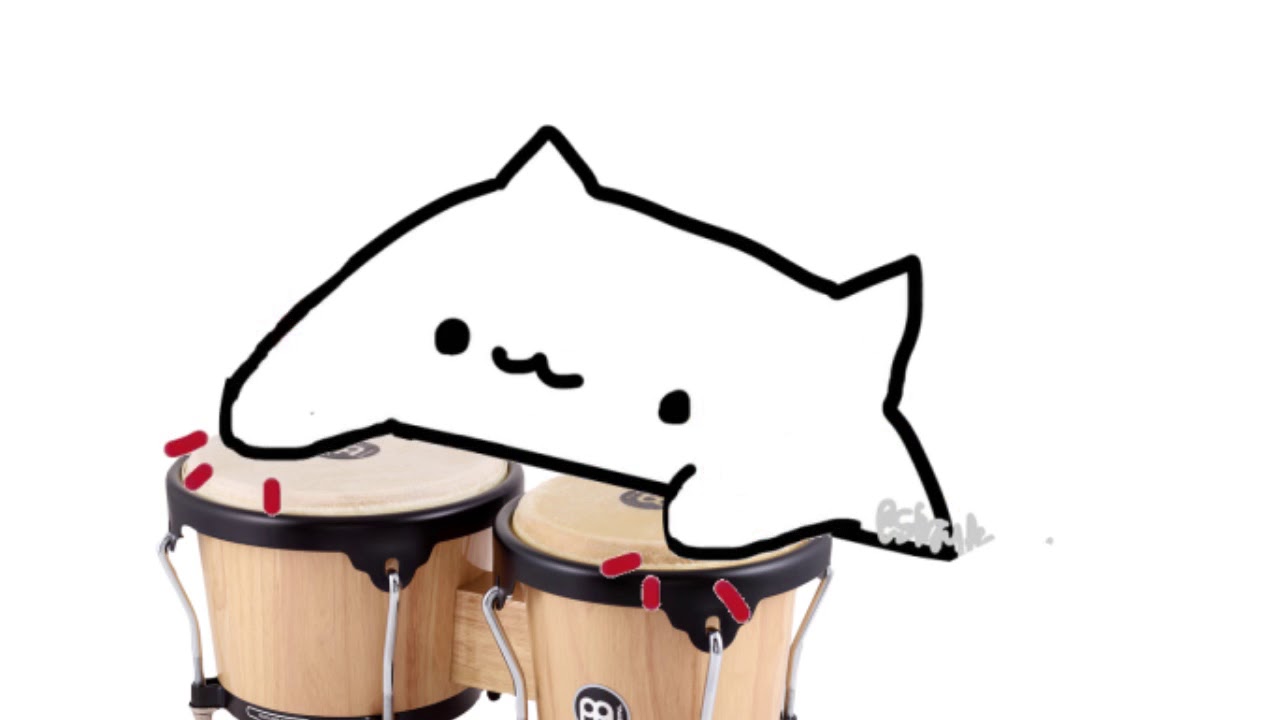
Bring the rhythm to your feed by creating a custom Bongo Cat meme with our easy-to-use editor. Whether he’s playing the drums or just vibing to your favorite tune, Post2x makes meme-making instant and fun.
Bongo Cat
Bongo Cat
Edit Post
Frequently Asked Questions
What is the history of Bongo Cat?
Bongo Cat originated in May 2018 when Twitter user @StrayRogue posted an animation of a simple white cat hitting a table. Shortly after, @DitzyFlama added bongo sounds and music to the animation, causing it to go viral instantly. The meme's appeal lies in its adorable simplicity and adaptability, as creators began editing the cat to play various instruments ranging from pianos and guitars to complex electronic synthesizers. It serves as the ultimate 'vibing' meme, perfectly capturing the joy of being lost in a catchy beat or a favorite song.
Do I have to pay to make Bongo Cat?
Absolutely free to use. No hidden fees or subscriptions required for the meme maker.
Can AI write captions for Bongo Cat?
Just describe what you want. The AI knows meme culture and writes text that lands. to unlock AI features.
Can I replace the default Bongo Cat image?
Yes! Upload any image you want. Just click upload and select your photo for the meme.
Do I have to log in to create memes?
No registration required. Just open the tool and start creating.
Can I use Bongo Cat in marketing?
Yes, you can use Bongo Cat for business and marketing. Just ensure you have rights to any custom images you upload.
What makes this Bongo Cat generator different?
AI-powered captions, instant downloads, and social posting make the Bongo Cat generator stand out. See what else Post2x offers.
How do I get my meme file?
Click "Download" and your Bongo Cat saves as a high-quality PNG. Share it anywhere.
Can I share Bongo Cat directly to Twitter?
Connect your account and post Bongo Cat without leaving the tool.
Does the meme have a watermark?
Yes! The no-watermark option is available for Pro subscribers. Your Bongo Cat exports completely clean.