Bookshelf Desktop Wallpaper
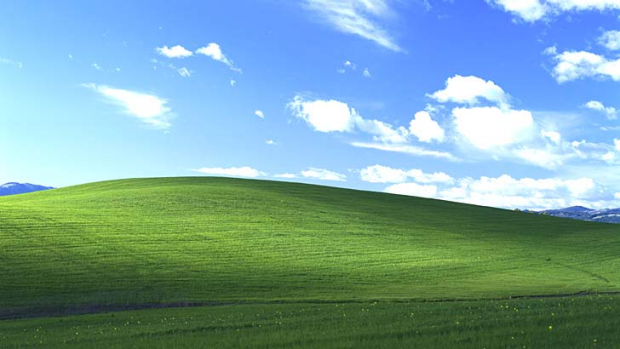
Transform your messy desktop into a masterpiece with our Bookshelf Desktop Wallpaper generator. Post2x makes it easy to add custom labels to this iconic office-themed layout, helping you organize your icons—or your life—with a touch of humor.
Bookshelf Desktop Wallpaper

Bookshelf Desktop Wallpaper
Edit Post







Frequently Asked Questions
Where did the Bookshelf Desktop Wallpaper meme come from?
The Bookshelf Desktop Wallpaper, often featuring a realistic wooden shelf or a minimalist IKEA-style setup, gained internet fame in the early 2010s as a clever way to organize computer icons. Unlike standard backgrounds, this template turns the desktop into a 3D-feeling room where users place the Recycle Bin on the floor and their most-used folders on the top shelf. Over time, it evolved into a meme where the different sections are labeled with ironic categories, reflecting the user's chaotic priorities or personal life. It remains a nostalgic favorite for those who appreciate both digital tidiness and meta-humor about workspace productivity.
Can I create Bookshelf Desktop Wallpaper memes for free?
Totally free. Premium features are available for power users who want more from Bookshelf Desktop Wallpaper.
Can AI write captions for Bookshelf Desktop Wallpaper?
Just describe what you want. The AI knows meme culture and writes text that lands. to unlock AI features.
Does this meme maker support custom images?
Definitely. You can use your own images with Bookshelf Desktop Wallpaper and customize however you want.
Is an account required for this meme maker?
Nope! Use the meme maker right away. Signing up is optional and unlocks extra features.
Can I use Bookshelf Desktop Wallpaper for business?
Businesses can freely use Bookshelf Desktop Wallpaper. Make sure uploaded images are legally yours.
Why choose this for Bookshelf Desktop Wallpaper?
This Bookshelf Desktop Wallpaper generator combines AI captions, viral analysis, and direct posting. Explore more Post2x features for content creators.
Where is the download button?
Click download and you get a PNG file perfect for sharing.
How do I post my meme to social media?
One-click sharing to social media. Your meme goes live on X or other platforms immediately.
Is there a no-watermark option for this meme?
Yes! The no-watermark option is available for Pro subscribers. Your Bookshelf Desktop Wallpaper exports completely clean.