YouTube Comment Memes
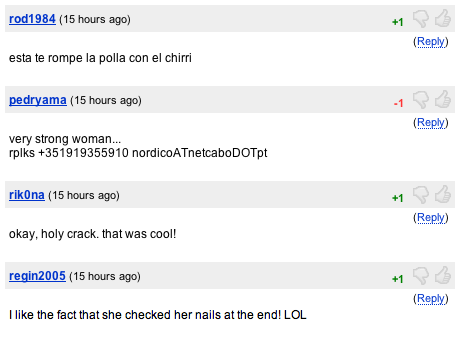
Transform those cringey or legendary video comments into viral images using the Post2x YouTube Comment Meme maker. Simply add your text, customize the layout, and share your favorite internet tropes with the world.
YouTube Comment Memes
YouTube Comment Memes
Edit Post
Frequently Asked Questions
Where did the YouTube Comment Memes meme come from?
YouTube Comment Memes satirize the repetitive and often predictable nature of the YouTube comment section. From the ubiquitous 'Nobody:' format to the classic 'Who is watching in [Year]?' and the humble-brag 'Edit: Thanks for the likes!', these memes poke fun at the unique culture of video engagement. They first gained traction on platforms like Reddit and Twitter as users began screenshotting and parodying the thirst for likes and common cliches found under popular music videos or gaming clips. Today, they serve as a relatable commentary on how internet users interact with content and each other within the Google ecosystem, often highlighting the irony of seeking validation from strangers.
Is the YouTube Comment Memes tool free to use?
Absolutely free to use. No hidden fees or subscriptions required for the meme maker.
How do I get AI-generated YouTube Comment Memes text?
Enter a topic and the AI creates YouTube Comment Memes captions instantly. to get free credits and start generating.
Can I replace the default YouTube Comment Memes image?
Absolutely. Replace the default with anything from your device.
Do I have to log in to create memes?
Totally optional. Create YouTube Comment Memes as a guest. Register later if you want saved memes.
Can I use YouTube Comment Memes for business?
Yes, you can use YouTube Comment Memes for business and marketing. Just ensure you have rights to any custom images you upload.
How is the YouTube Comment Memes tool different?
This YouTube Comment Memes generator combines AI captions, viral analysis, and direct posting. Explore more Post2x features for content creators.
Where is the download button?
Click "Download" and your YouTube Comment Memes saves as a high-quality PNG. Share it anywhere.
Does this meme maker support social posting?
One-click sharing to social media. Your meme goes live on X or other platforms immediately.
Can I remove the watermark from YouTube Comment Memes?
Pro members get watermark-free downloads. Perfect for professional use and social media posting.